Help is a scan away

Preparing your Medical ID…

00%
MedicalQR code Privacy-first

Your Medical ID.Protection whenit matters,a scan away.*

One scan alerts the most important people in your life and shows your health record to the person helping you.

AMRKJSNo app required to scan.
Works with any modern phone camera.

*Alerts go to the emergency contacts you add. Email alerts are included with every plan; text alerts require Premium. MedicalQR does not replace calling 911.

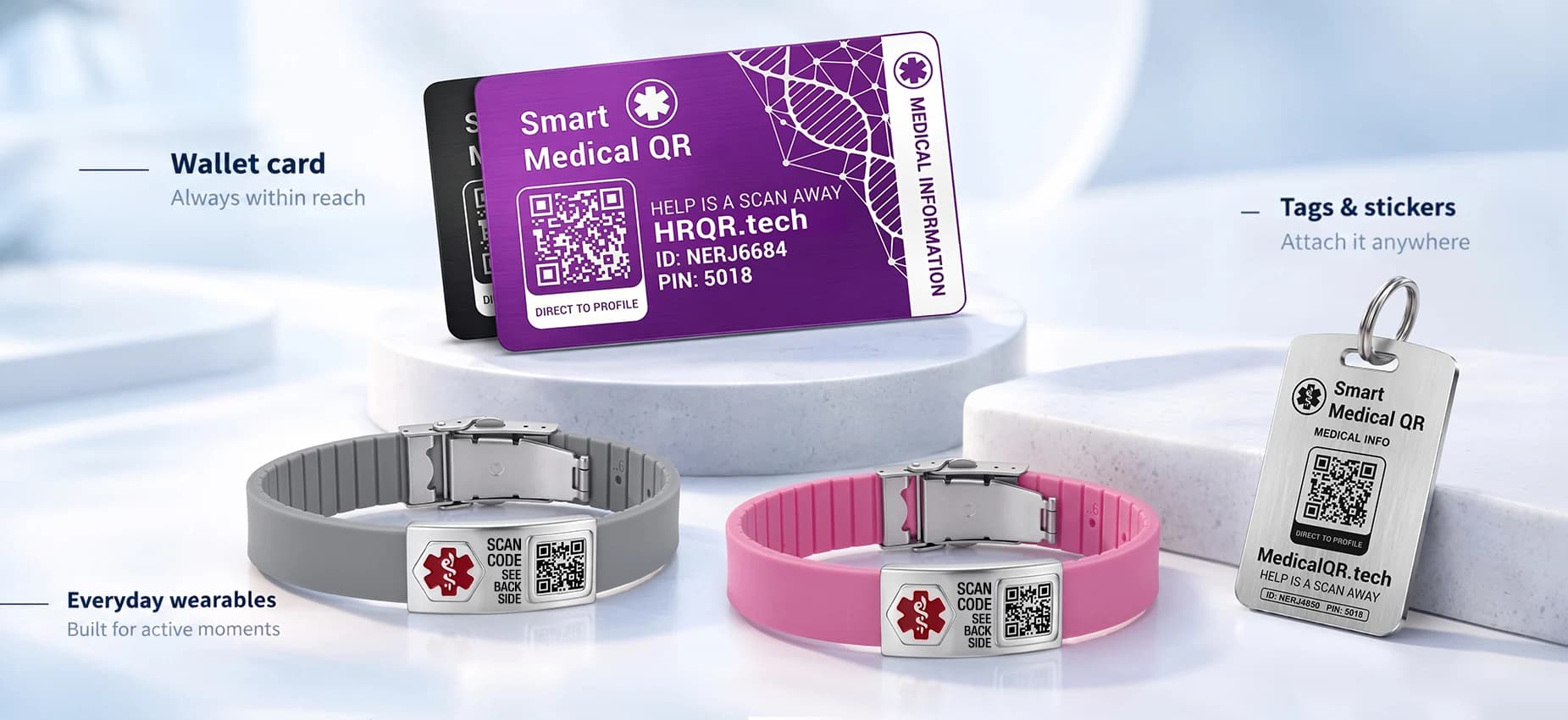
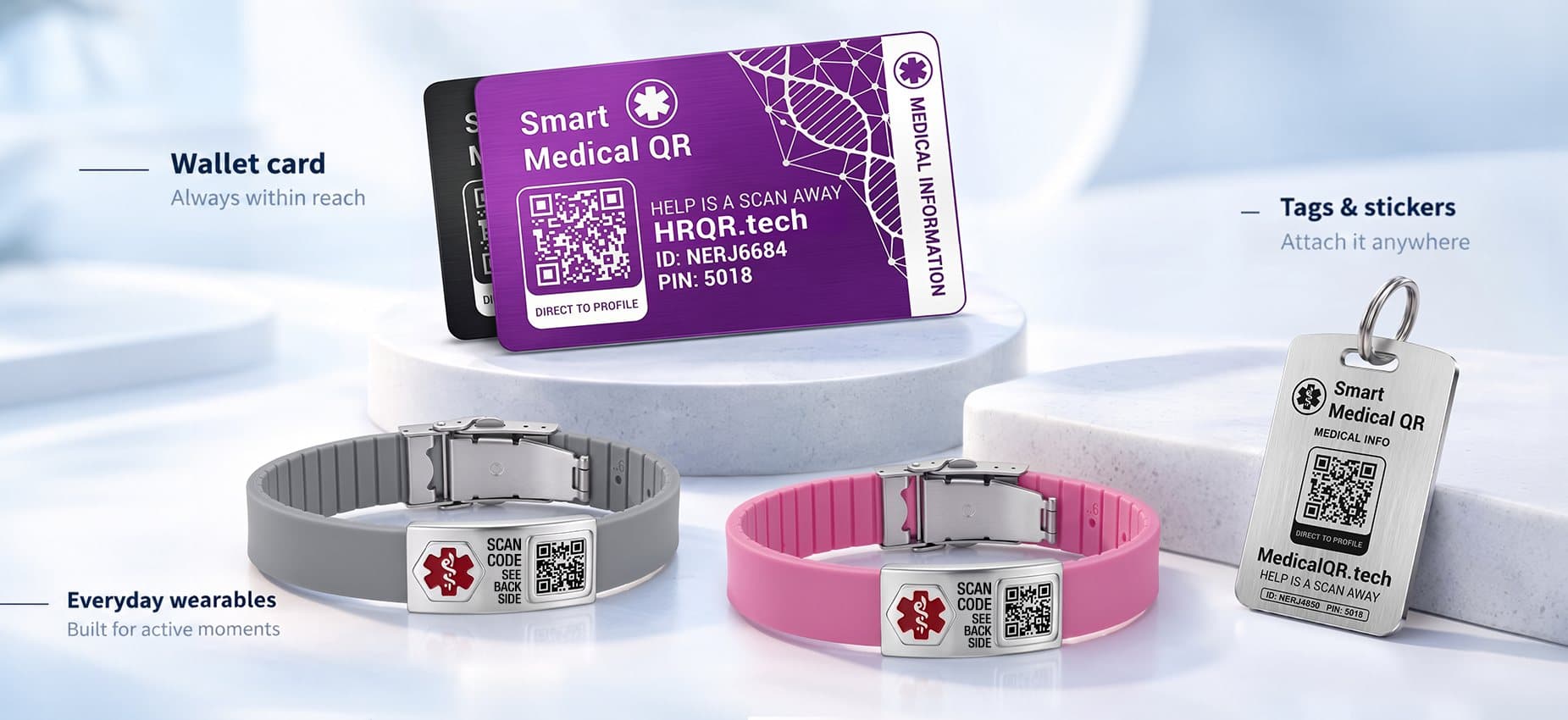
Medical QR wallet card, silicone bracelets and steel tag
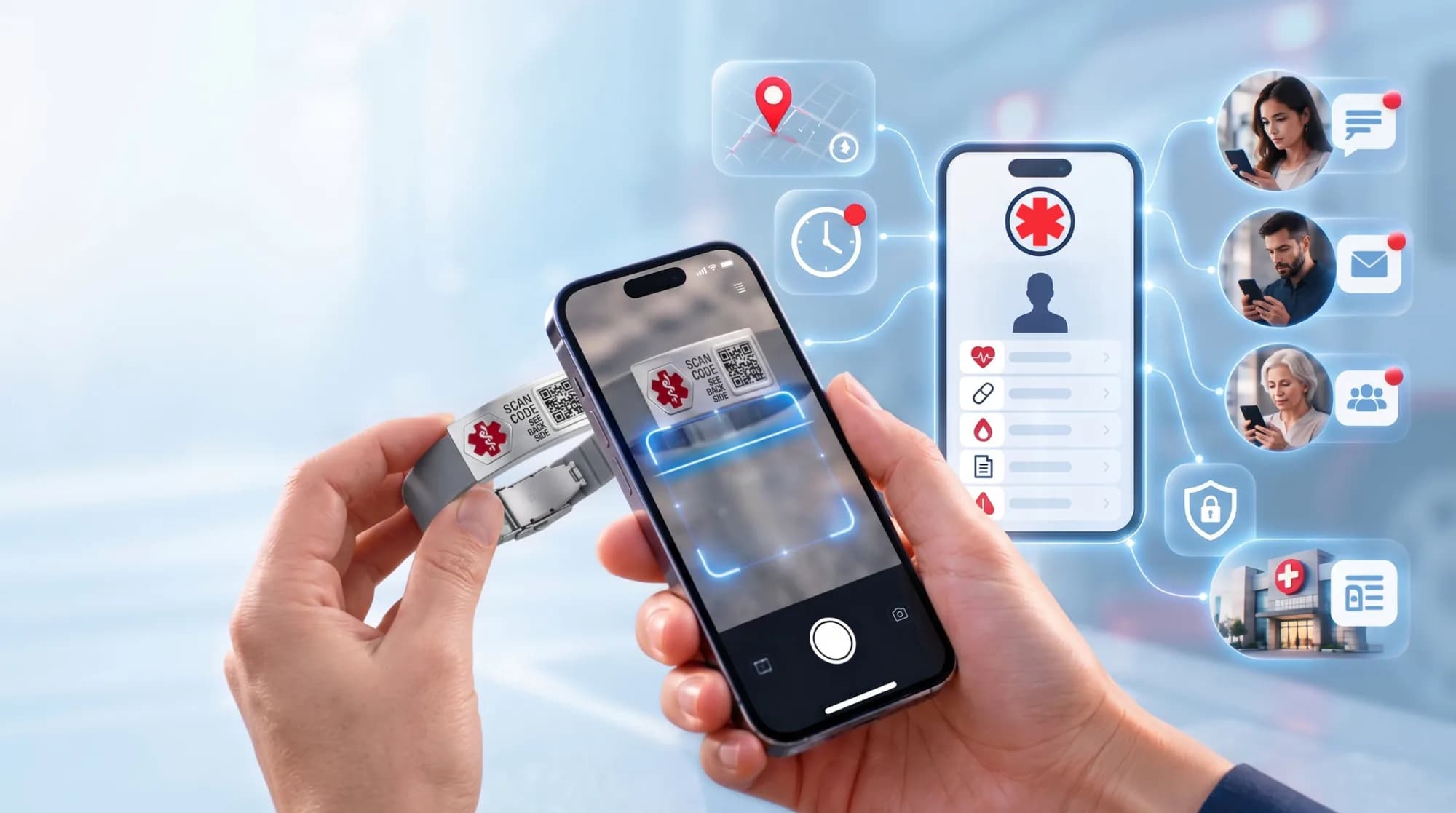
Scanning a Medical QR bracelet opens the wearer's medical profile and alerts their contacts
Scroll to explore
Fast QR access
Emergency contacts
Privacy controlled
SMS + email alerts
No scanner app needed
When it matters

When they can't speak, their Medical ID does.

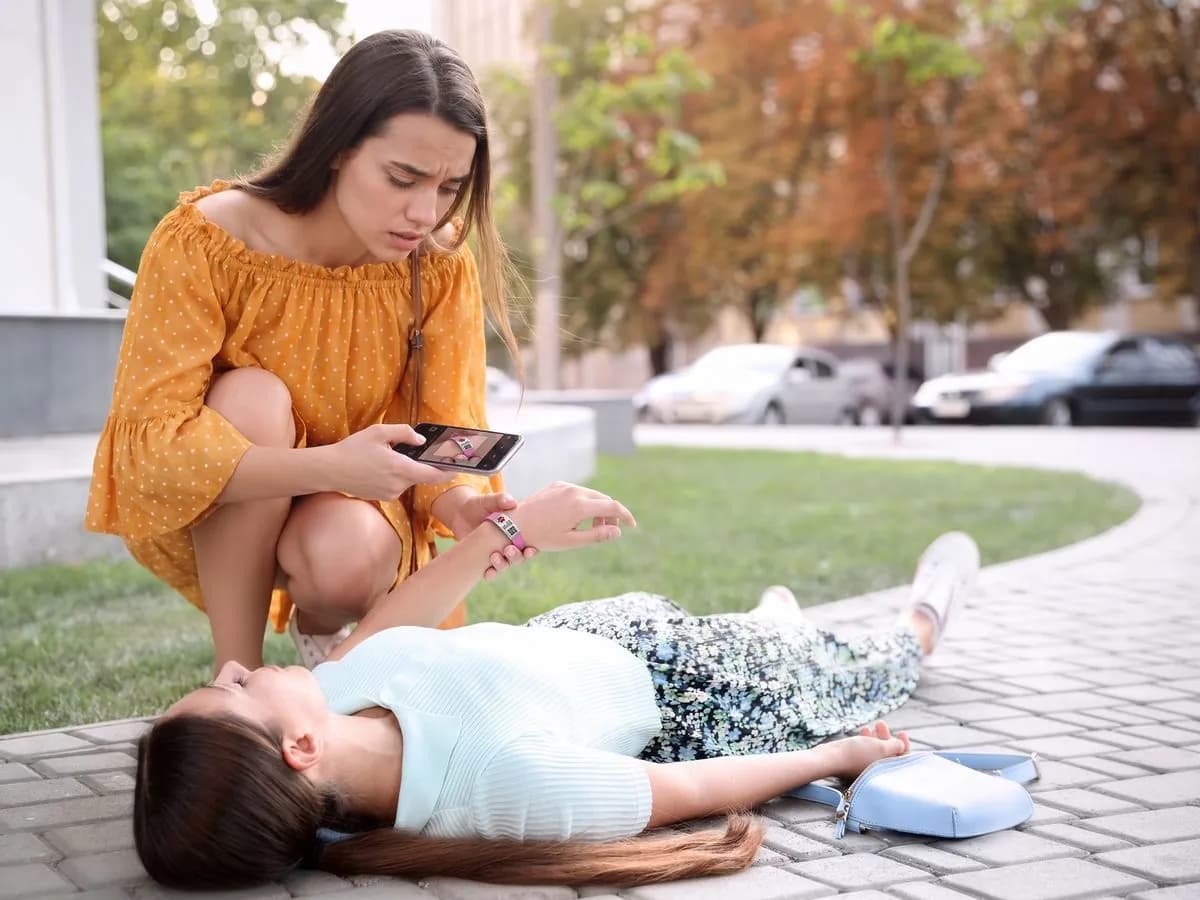
Collapses, falls and allergic reactions happen in public, often with no one nearby who knows you. One scan gives helpers what they need and tells your family right away.

A young woman kneels by someone who has collapsed and scans the MedicalQR band on her wrist
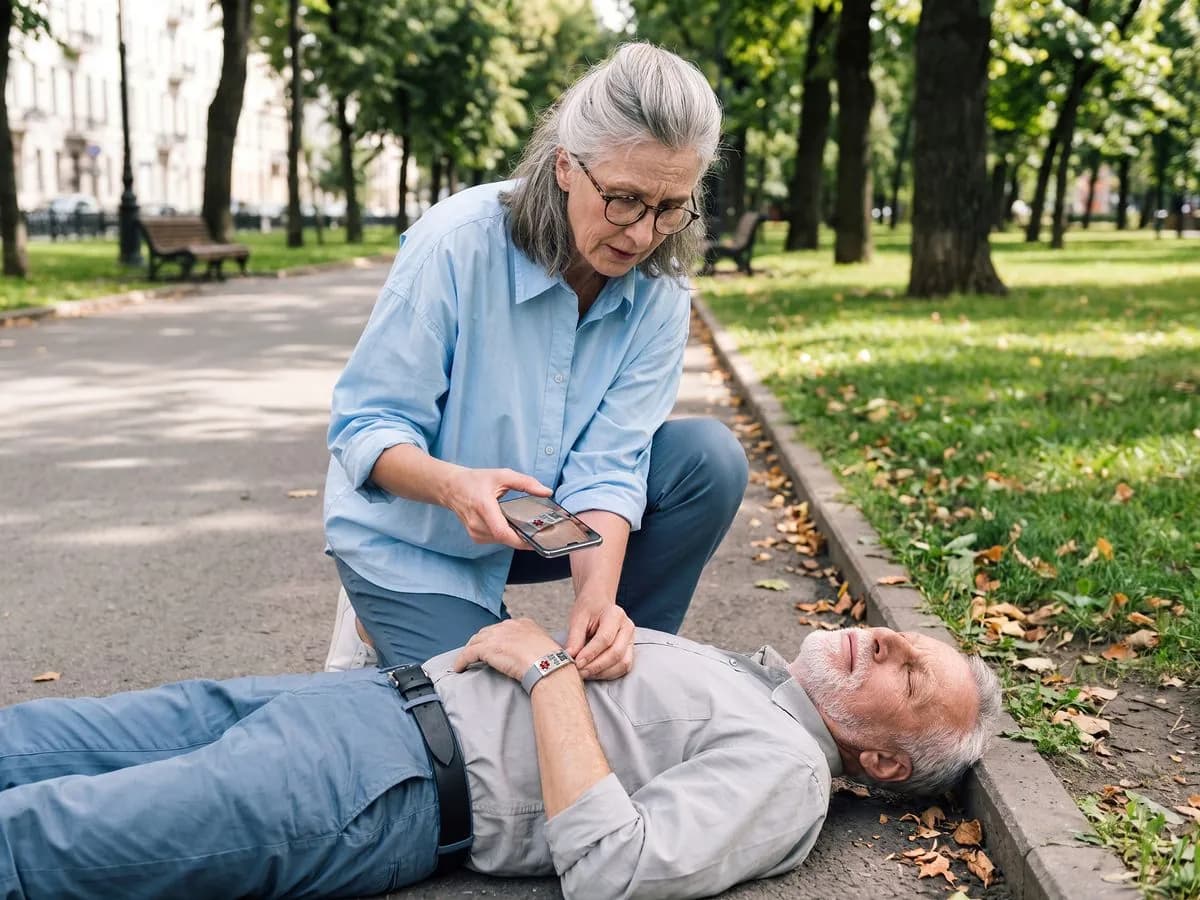
A stranger can helpAnyone nearby scans the band with their phone camera and sees allergies, conditions and who to call. No app, no password.
An older woman scans the MedicalQR bracelet of a man lying on a park path
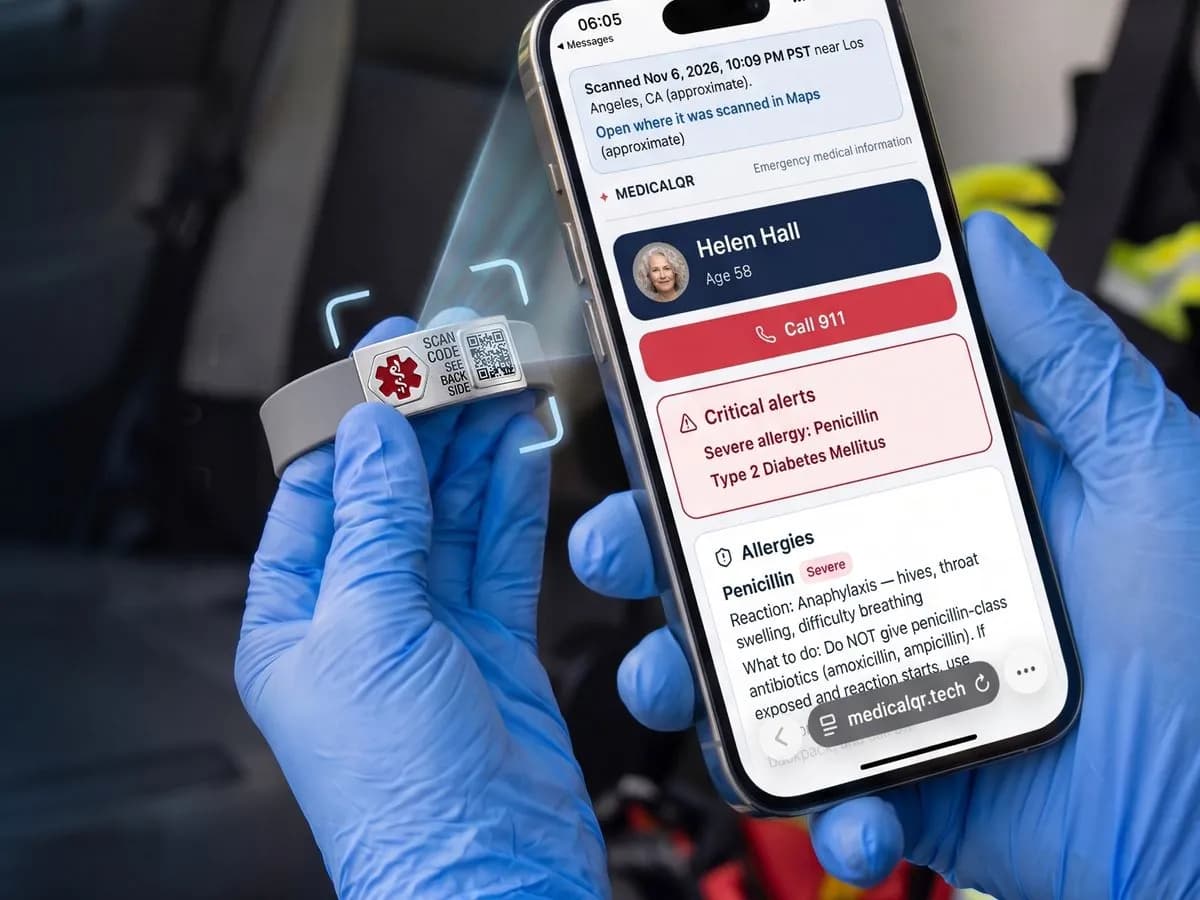
Your family is alertedThe moment it's scanned, your emergency contacts get an email (and a text on Premium) with the time and approximate location.
A paramedic in blue gloves scans a MedicalQR bracelet and reads the emergency profile on a phone
Paramedics get the factsSevere allergies, medications and conditions are on screen before treatment starts.
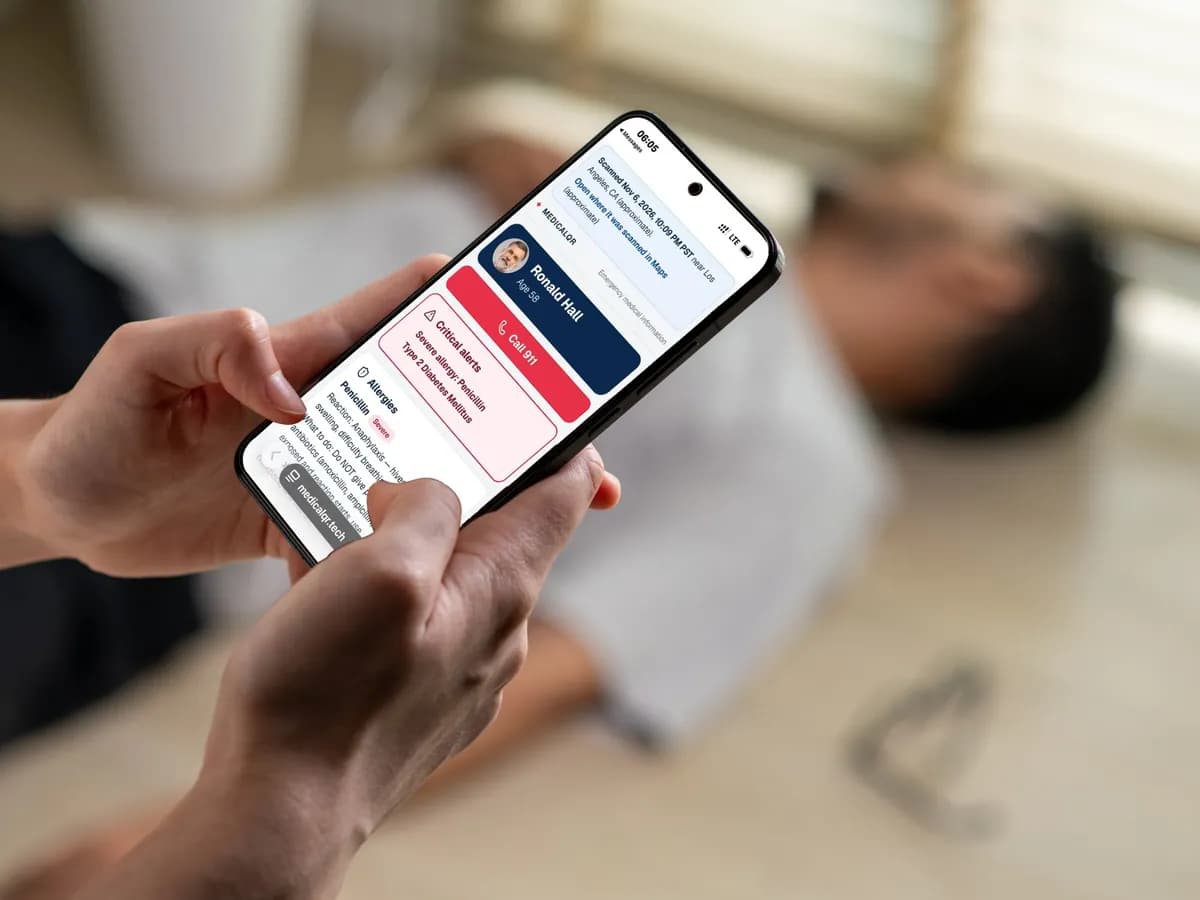
A phone showing a MedicalQR emergency profile with a Call 911 button and critical alerts
Works on any phoneThe emergency profile opens in the browser on iPhone or Android, in seconds.
Try it on your own phone Create your Medical IDThe free demo sends you the same alert a real emergency contact gets.
How it works

From QR scan to emergency contact in seconds.

A calm, clear chain of action—designed to make critical information available without creating friction for the person helping you.

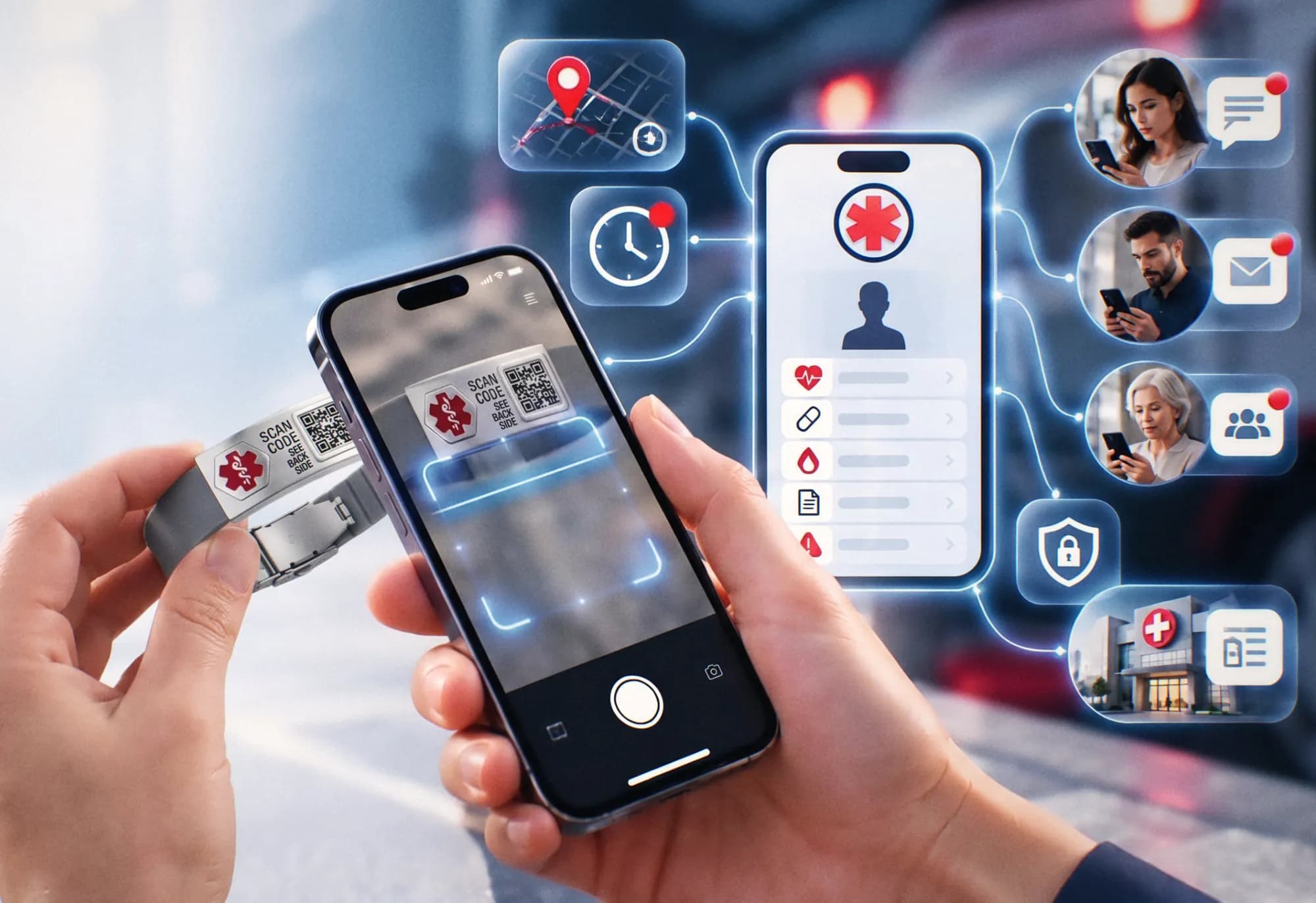
A phone scanning the QR code on a MedicalQR bracelet, opening the emergency profile and alerting trusted contacts
Emergency flow active
01

Create your Medical ID

Add the details that could help someone respond with confidence.

02

Add trusted contacts

Choose family, friends, or caregivers—and set access for each.

03

Order and link your MedicalQR item

Choose a card, bracelet, tag or sticker. Enter its ID and PIN once to link it to your Medical ID.

04

Your QR is scanned

Any modern phone camera opens your emergency page instantly.

05

Contacts receive the alert

Configured contacts receive SMS and email notifications.

06

Approved details are available

The right information appears based on your privacy choices.

Try a live demo Get a sample alert on your own phone.
One connected response

A scan becomes a signal.

Every step is purposeful. The system records the event, requests optional location access, and continues even when location permission is denied.

QR scannedInstant
Page opensSecure route
Time recordedAutomatic
Location requestedWith consent
SMS sentTrusted contacts
Email sentFull context
Profile accessPermission-based

Location is always consent-based. Precise location is shared only when the scanner grants browser permission. Alerts still continue if they decline.

Medical profiles

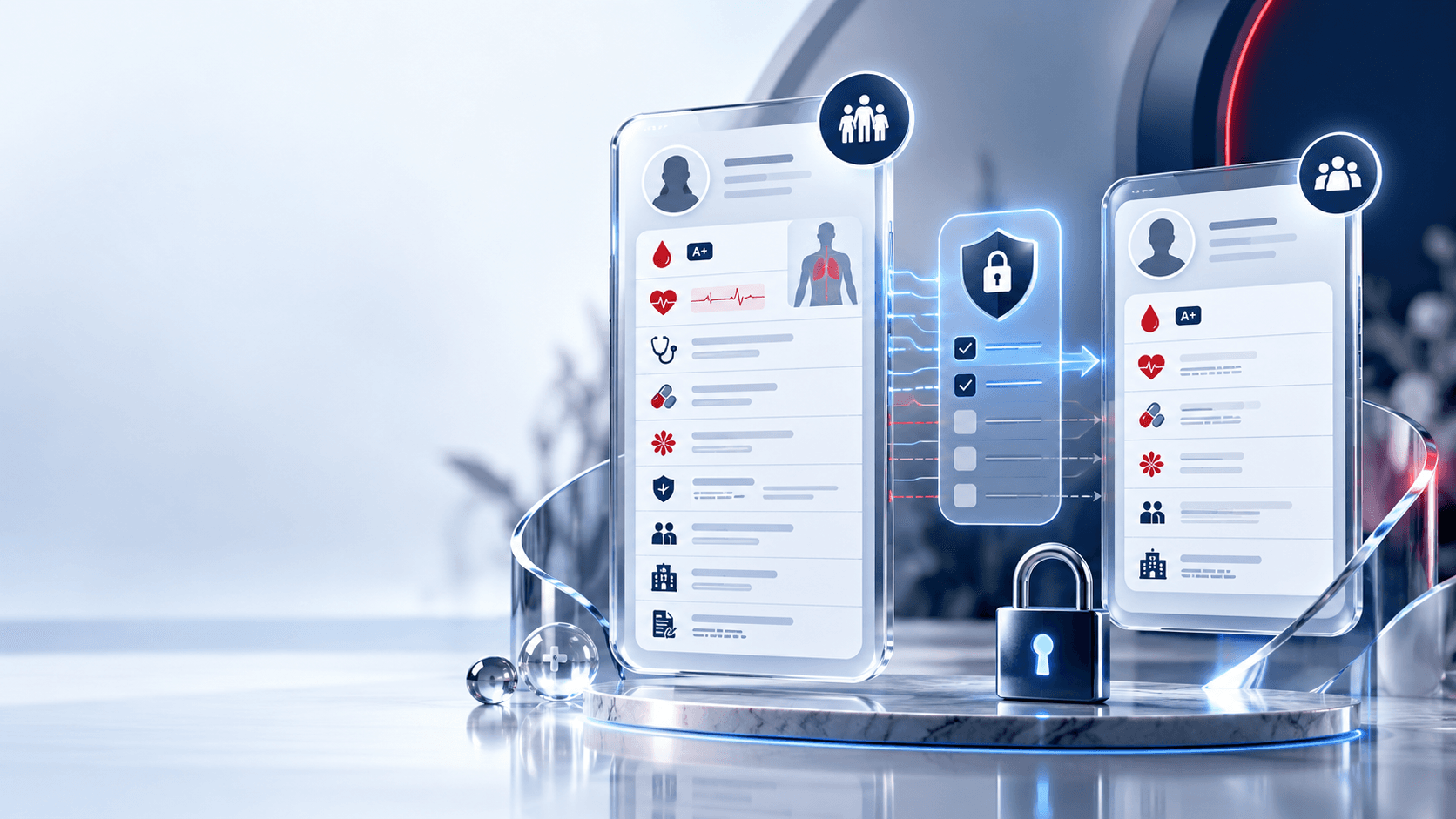
One Medical ID. Two levels of privacy.

Keep a complete record for the people closest to you and a focused emergency view for everyone else.

Comprehensive profileImmediate family

The complete picture.

A deeper record for recipients you trust with ongoing care details.

Identity & blood typeDoctors & specialistsInsurance & hospitalMedications & allergiesMedical historyDevices & directives
AMAlex MorganFull profile access
and
Limited profileClose friends

Only what matters now.

A focused view of immediate, practical emergency information.

Basic identityBlood typeEmergency contactsCritical conditionsSevere allergiesCare logistics
RKRiley KimLimited profile access
Limited Share

You decide what each person can see.

Your comprehensive record stays private by default. Turn on Limited Share only for the individual details you choose to include in your emergency profile.

Private is the default.

Limited Share controls start off. Nothing moves into the limited profile until you approve it.

ComprehensiveLimited ShareApproved view
Comprehensive and limited medical profiles with privacy controls
Limited ShareOFF by default
Blood typeShared
Severe allergyShared
Insurance informationPrivate
Legal directivePrivate
Trusted circle

The right alert. To the right person.

Every contact can receive a different combination of notifications and profile access. Your inner circle never has to share one blanket permission.

Recipient-specific permissionsAdjust access at any time from your dashboard.
AMAlex MorganImmediate family
SMSEmailComprehensive
RKRiley KimClose friend
SMSEmailLimited
JTJordan TaylorOther contact
SMSEmailNone
Made for real life

One QR. Wherever life takes you.

Keep your MedicalQR ID close in the form that works for your routine—from a wallet to a run, commute, or set of keys.

Smart Medical QR wallet cards, silicone medical ID bracelets and a stainless steel tag, each with a QR code that opens the profile
01Wallet card02Bracelet03Keychain04Medical tag05Sticker
Built around readiness

Everything important. Nothing in the way.

A focused set of tools for building, sharing, carrying, and maintaining your Medical ID.

Unique MedicalQR code

A dynamic QR code: update your details anytime, the code stays the same.

▦

Two medical profiles

Comprehensive depth and a focused limited view.

Limited Share controls

Approve fields individually. Private by default.

Emergency contacts

Different access for every person you trust.

SMS alerts

Fast, scannable notification context.

Email alerts

A durable record with helpful detail.

Location-aware scans

Precise location only when permission is granted.

PDF + CSV exports

Take your information with you.

Secure access

Protected routes and controlled sharing.

True PWA experience

Installable, responsive, and built for the home screen.

Installable PWA

Your Medical ID, wherever you need it.

MedicalQR is built as a Progressive Web App: open it in a browser, install it to your home screen, and return to an app-like experience without an App Store download.

Works on iPhone and AndroidInstall to your home screenResponsive on every deviceNo scanner installation required

Installation availability depends on your browser and device.

medicalqr.tech
MedicalQRYour health profile, securely within reach.
9:41 ● ●
MedicalQR app icon

Good morning, Alex

Profile complete82%
Medical IDReady to scan
MedicalQRAdded to Home Screen
Your command center

Everything stays clear, current, and yours.

A calm dashboard brings your Medical ID, trusted contacts, QR assets, permissions, and exports into one place.

SEPTEMBER 27, 2026

Good morning, Alex.

AM
Your Medical ID is activeLast reviewed 8 days agoReview now
Profile completion82%
Emergency contacts03All verified
QR scans07Last 30 days
Medical profilesManage access
Comprehensive32 fields completeComplete
Limited12 shared fieldsActive
▦
Your Medical QRReady to scan Download
Trust by design

Private health information deserves clear boundaries.

MedicalQR is designed around control, understandable permissions, and secure access—without making unsupported promises.

Privacy firstControl stays with you

Secure authentication

Account access is protected behind secure sign-in flows.

Recipient-specific access

Every trusted contact can have a different permission level.

Controlled sharing

Limited Share starts off and only includes what you approve.

Secure QR routing

Your physical QR points to a managed, updateable profile route.

Protected user data

Sensitive medical details are treated as private information.

Privacy-first design

Clear controls make visibility understandable at a glance.

Questions, answered

Clarity before you need it.

The important details about scanning, privacy, access, and everyday management.

Still have a question?Our support team is ready to help.Contact support

The scanner is taken to your emergency page. The scan time is recorded, optional location is requested, configured alerts are sent, and the approved medical view becomes available.

No. A modern phone camera and browser are enough to scan the QR and open the emergency page.

Access is based on the permissions you set. Trusted recipients can receive either your Comprehensive Profile, Limited Profile, or no medical profile access.

The Comprehensive Profile can hold detailed care, insurance, legal, and medical history. The Limited Profile focuses on immediately useful emergency information.

Yes. Each contact can have their own SMS, email, and profile-access permissions.

The emergency flow continues. Contacts can still be alerted and approved medical information can still be viewed; precise scan location simply will not be included.

Yes. The dashboard is designed so your details, contacts, permissions, and shared fields can be kept current over time.

The Export Center provides PDF and CSV options for portability and personal records.

A few minutes today. Meaningful context when it counts.

Be ready when it matters most.

Create your Medical ID, configure trusted contacts, and keep critical information accessible when it is needed.

No scanner app required · Privacy controlled · Installable PWA